阿里云MQTT协议接入
简介
阿里云MQTT协议是联犀物联网平台对接阿里云IoT生态的协议网关,支持阿里云Link SDK格式的设备接入。设备可使用阿里云标准的MQTT认证方式(HMAC-SHA256/SHA1/MD5)连接到联犀平台,无需修改设备固件即可实现云端互通。
应用场景
- 存量阿里云设备迁移:已使用阿里云Link SDK的设备,可无缝接入联犀平台
- 阿里云生态兼容:支持与阿里云IoT平台一致的物模型和消息格式
- 一型一密/一机一密:支持阿里云标准的安全认证模式
前置条件
- 协议容器已部署:
protocol-aliyun-mqtt容器运行正常 - MQTT Broker 可访问:平台MQTT服务端口 1883 开放
- etcd 服务正常:
dm.rpc和timedjob.rpc已注册
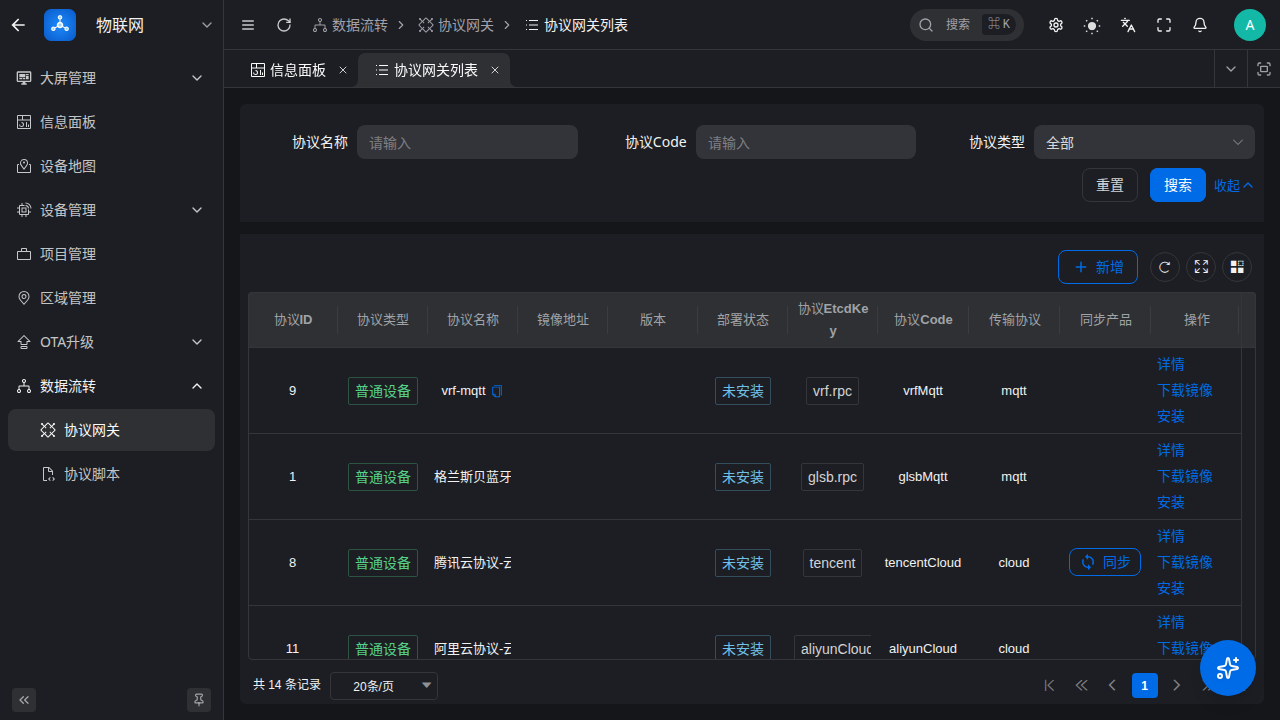
截图位置:协议管理页面显示
aliyunMqtt协议状态为"运行中"
产品配置
1. 创建产品
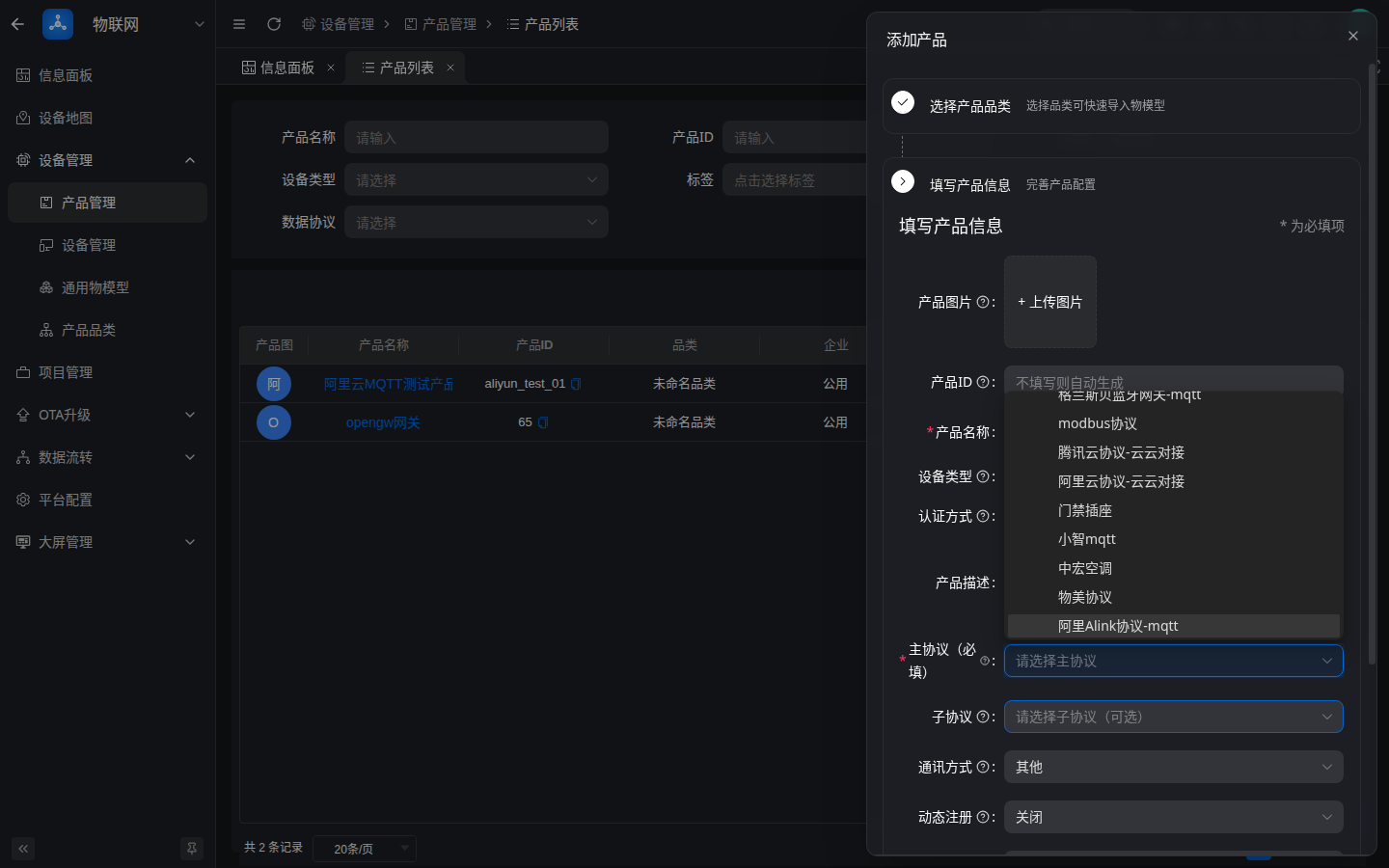
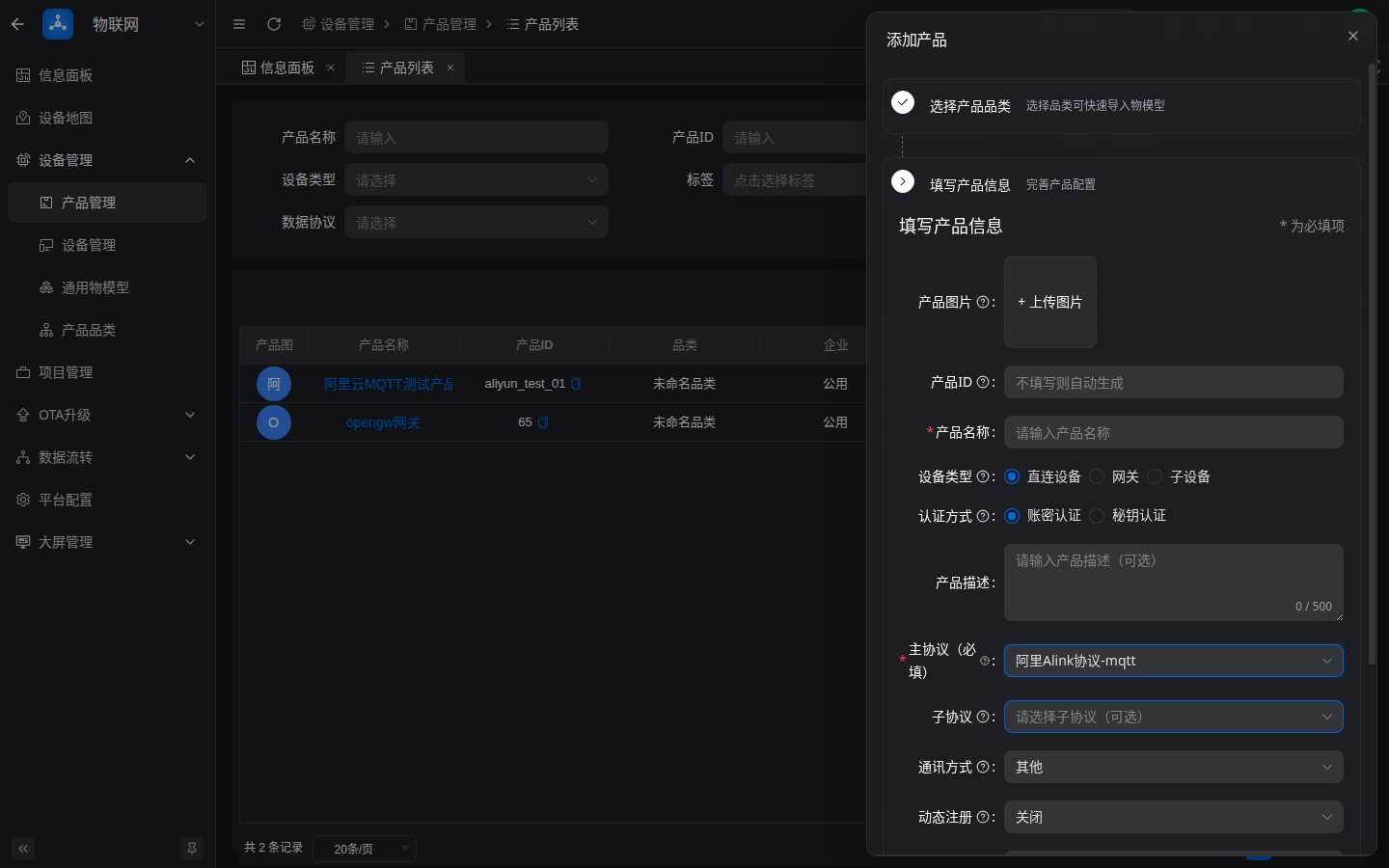
在联犀平台创建产品时,选择 传输协议 为 MQTT,协议类型 选择 aliyunMqtt(显示名称为 阿里Alink协议-mqtt)。
截图位置:产品创建页面,打开主协议下拉框,在"普通设备"分组中找到并选择
阿里Alink协议-mqtt
2. 物模型配置
配置产品的物模型,定义设备需要上报和接收的属性、事件、服务。
3. 产品接入配置页(产品维度)
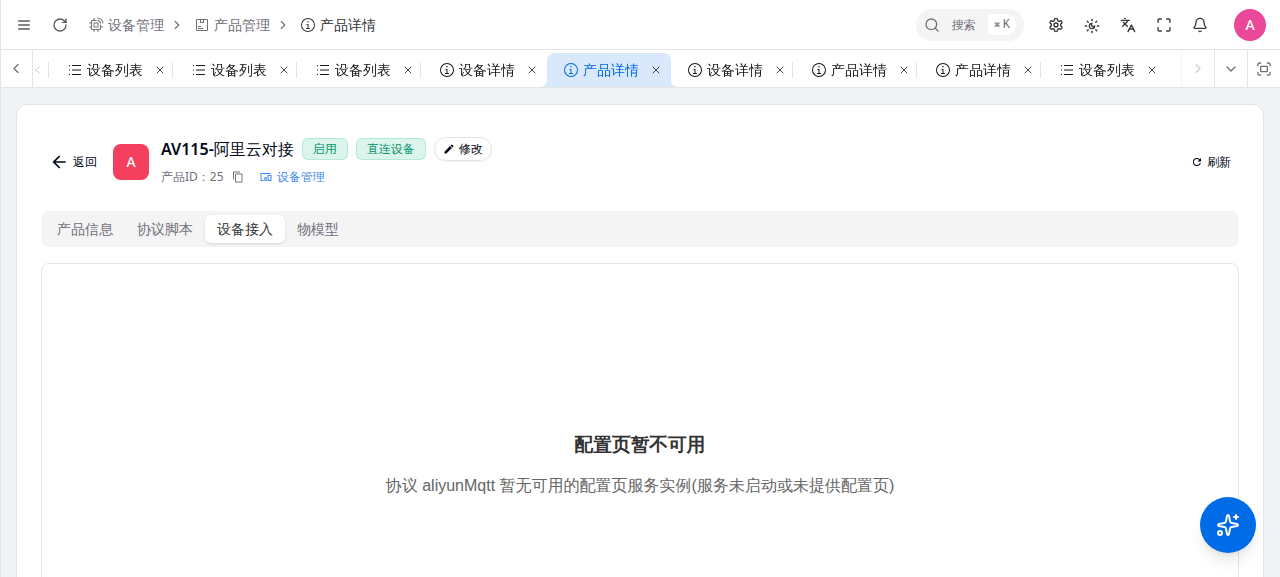
aliyunMqtt 协议网关提供产品级接入配置页:进入产品详情「设备接入」Tab,页面展示 ProductKey(可复制)与接入说明(一型一密预注册 / 免预注册两种模式的认证规则与连接参数计算规则)。产品维度无可编辑参数,创建产品时选好协议即可。
若页面提示「配置页暂不可用:协议 aliyunMqtt 暂无可用的配置页服务实例(服务未启动或未提供配置页)」,说明协议网关未运行或未提供配置页服务实例(下图),启动协议服务后刷新即可正常展示:
设备接入
1. 创建设备
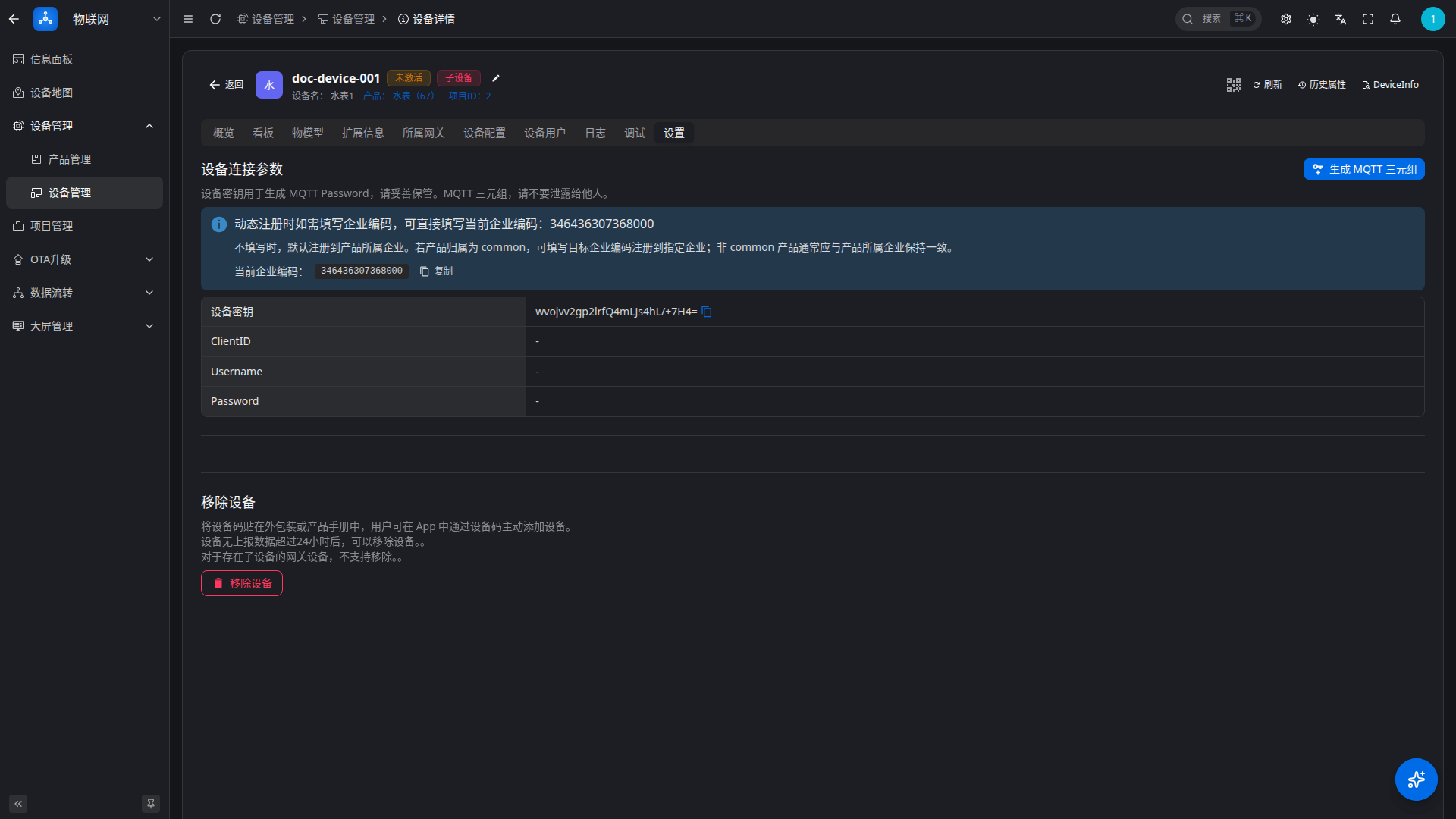
在产品下创建设备,获取设备密钥 deviceSecret。
截图位置:设备列表/详情页面,显示 deviceName 和 secret
2. 设备接入 Tab(三元组与 Topic 展示)
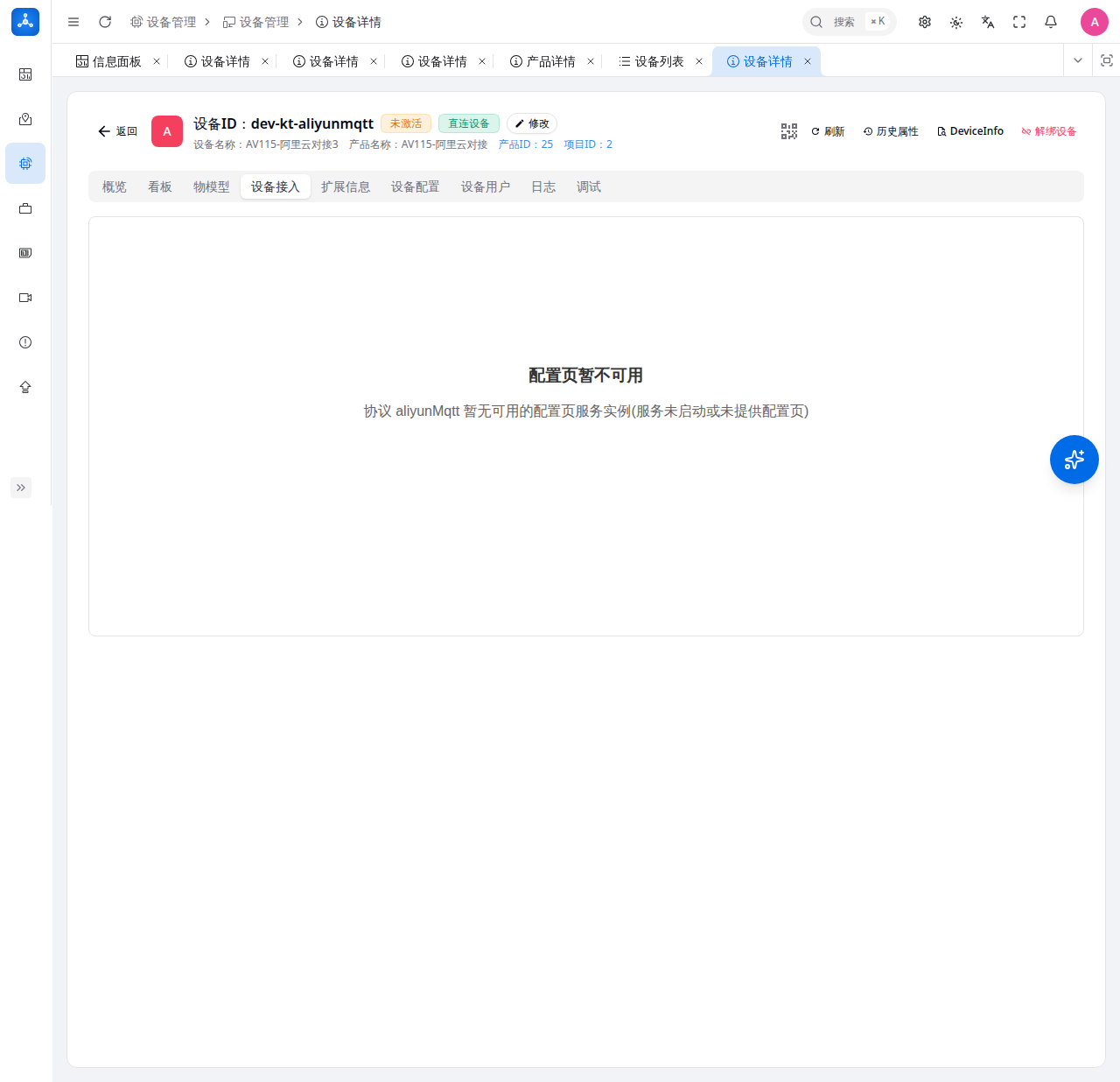
aliyunMqtt 协议网关提供设备级接入配置页:进入设备详情「设备接入」Tab,页面直接展示并支持一键复制以下内容,无需手动计算:
- 设备三元组:ProductKey、DeviceName、DeviceSecret(设备密钥,请勿泄露)
- MQTT 连接信息:Broker(当前页面域名,端口以部署为准,如 1883 为 TCP 非 TLS、8883 为 TLS 直连,TLS 时 ClientID 中 securemode 改为 2)、ClientID、Username(
{deviceName}&{productID})、Password - 签名算法切换:可选择
hmacmd5/hmacsha1/hmacsha256,Password 按所选算法实时重新计算(HMAC 签名规则见下文) - 常用 Topic:属性上报、事件上报、属性打包上报、子设备注册、OTA 版本上报(上行)与属性设置、属性上报应答、事件应答(下行),均已代入本设备 ProductKey/DeviceName,可直接复制使用
若页面提示「配置页暂不可用:协议 aliyunMqtt 暂无可用的配置页服务实例(服务未启动或未提供配置页)」,说明协议网关未运行或未提供配置页服务实例(下图),此时可按下一节的公式手动计算三元组连接参数:
3. 阿里云格式凭据生成(三元组计算规则)
设备接入 Tab 已自动展示三元组与连接参数,本节公式用于理解原理或在配置页不可用时手动计算。
ClientID 格式
{productID}.{deviceName}|securemode={mode},signmethod={method},timestamp={timestamp}|| 字段 | 说明 |
|---|---|
productID | 产品ID |
deviceName | 设备名称 |
securemode | 3 预注册模式 / -2 自动注册模式 |
signmethod | hmacsha256 / hmacsha1 / hmacmd5 |
timestamp | 毫秒级时间戳 |
Username 格式
{deviceName}&{productID}Password 生成
Password 为 HMAC 签名结果,签名内容格式如下:
clientId{clientID}deviceName{deviceName}productKey{productID}仅当 ClientID 中包含 timestamp 或 random 时,签名内容末尾才追加 timestamp{timestamp} 或 random{random};设备接入 Tab 展示的 ClientID 不含 timestamp/random,其 Password 即按上述基础格式计算。
使用 deviceSecret 作为密钥进行 HMAC 签名(预注册模式);自动注册模式改用产品密钥 productSecret。
Python 示例:
import hmac, hashlib, time

productID = 'aliyun_test_01'
deviceName = 'dev001'
deviceSecret = 'testsecret001'
timestamp = str(int(time.time() * 1000))

clientID = f'{productID}.{deviceName}|securemode=3,signmethod=hmacsha256,timestamp={timestamp}|'
username = f'{deviceName}&{productID}'

content = f'clientId{clientID}deviceName{deviceName}productKey{productID}timestamp{timestamp}'
password = hmac.new(deviceSecret.encode(), content.encode(), hashlib.sha256).hexdigest()

print(f'ClientID: {clientID}')
print(f'Username: {username}')
print(f'Password: {password}')
消息格式
属性上报(设备→云)
Topic:
/sys/{productID}/{deviceName}/thing/event/property/postPayload:
{
  "id": "123",
  "version": "1.0",
  "params": {
    "temperature": {
      "value": 25.5,
      "time": 1778593628940
    }
  },
  "method": "thing.event.property.post"
}
属性设置(云→设备)
Topic:
/sys/{productID}/{deviceName}/thing/service/property/setPayload:
{
  "id": "456",
  "version": "1.0",
  "params": {
    "temperature": 30
  },
  "method": "thing.service.property.set"
}
事件上报(设备→云)
Topic:
/sys/{productID}/{deviceName}/thing/event/{eventIdentifier}/post服务调用(云→设备)
Topic:
/sys/{productID}/{deviceName}/thing/service/{serviceIdentifier}接入示例
mosquitto 命令行测试
1. 设备连接并订阅属性设置
export CLIENT_ID="aliyun_test_01.dev001|securemode=3,signmethod=hmacsha256,timestamp=1778593628940|"
export USERNAME="dev001&aliyun_test_01"
export PASSWORD="87954302c6bbb203f8f386d84574dae4227f1f8cc1bdc8b83407c324edce95c8"

mosquitto_sub -h <mqtt-broker-host> -p 1883 \
  -i "$CLIENT_ID" \
  -u "$USERNAME" \
  -P "$PASSWORD" \
  -t "/sys/aliyun_test_01/dev001/thing/service/property/set"
2. 设备属性上报
mosquitto_pub -h <mqtt-broker-host> -p 1883 \
  -i "$CLIENT_ID" \
  -u "$USERNAME" \
  -P "$PASSWORD" \
  -t "/sys/aliyun_test_01/dev001/thing/event/property/post" \
  -m '{
    "id": "123",
    "version": "1.0",
    "params": {
      "temperature": {
        "value": 25.5,
        "time": 1778593628940
      }
    },
    "method": "thing.event.property.post"
  }'
3. 平台下发属性设置
mosquitto_pub -h <mqtt-broker-host> -p 1883 \
  -i "cloud_publisher_001" \
  -u "$USERNAME" \
  -P "$PASSWORD" \
  -t "/sys/aliyun_test_01/dev001/thing/service/property/set" \
  -m '{
    "id": "456",
    "version": "1.0",
    "params": {
      "temperature": 30
    },
    "method": "thing.service.property.set"
  }'
接入流程图
┌─────────────┐     MQTT连接      ┌─────────────────┐
│   设备端     │ ────────────────→ │  MQTT Broker    │
│ (阿里云SDK)  │                   │  (EMQX/Comqtt)  │
└─────────────┘                   └────────┬────────┘
       ↑                                   │
       │  属性上报/事件上报                  │  认证请求
       │  /sys/{pid}/{dn}/thing/...       │
       │                                   ↓
       │                          ┌─────────────────┐
       │                          │  aliyunMqtt     │
       │                          │  协议容器        │
       │                          │  (协议网关)      │
       │                          └────────┬────────┘
       │                                   │
       │                                   │ NATS/消息转换
       │                                   ↓
       │                          ┌─────────────────┐
       │                          │     dmsvr       │
       │                          │  (设备管理服务)  │
       │                          └─────────────────┘
       │
       └───────────────────────────────────
              属性设置/服务调用
              /sys/{pid}/{dn}/thing/service/...
认证模式说明
| securemode | 模式 | 说明 |
|---|---|---|
3 | 预注册模式 | 设备必须在平台预先创建,使用设备级密钥认证 |
-2 | 自动注册模式 | 设备首次连接时自动注册,使用产品级密钥认证 |
自动注册模式
使用 securemode=-2 时,设备首次连接会自动在平台创建设备记录:
aliyun_test_01.dev001|securemode=-2,signmethod=hmacsha256,timestamp=1778593628940|此时 Password 使用 产品密钥 而非设备密钥进行 HMAC 签名。
常见问题排查
1. 连接被拒绝 "bad user name or password"
原因: HMAC 签名计算错误
排查步骤:
- 确认
timestamp为毫秒级(13位数字) - 确认签名内容格式正确:
clientId{clientID}deviceName{deviceName}productKey{productID}timestamp{timestamp} - 确认
deviceSecret正确(预注册模式)或productSecret正确(自动注册模式) - 确认
signmethod与计算方式一致
2. 消息上报后平台无数据
原因: Topic 格式错误或消息 Payload 格式错误
排查步骤:
- 确认 Topic 格式:
/sys/{productID}/{deviceName}/thing/event/property/post - 确认 Payload 为有效 JSON
- 确认
method字段值为thing.event.property.post - 检查协议容器日志:
docker logs protocol-aliyun-mqtt
3. 设备无法收到平台下发指令
原因: 设备未订阅正确 topic 或已离线
排查步骤:
- 确认设备已订阅:
/sys/{productID}/{deviceName}/thing/service/property/set - 确认设备连接保持活跃(MQTT KeepAlive)
- 检查设备在线状态
4. 协议容器无法启动
原因: etcd 未注册或服务依赖缺失
排查步骤:
- 检查 etcd 是否有
dm.rpc和timedjob.rpc注册:docker exec saas-etcd etcdctl get --prefix dg.rpc - 检查协议容器日志:
docker logs protocol-aliyun-mqtt - 确认 MQTT Broker 可访问
参考链接
更新日志
2026/8/31 22:31
查看所有更新日志
2fc1c-于eb33f-于70dbb-于4ab8f-于7e927-于aac64-于94722-于952c9-于